Every car on the lot, showroom-ready
Lot photos come with other cars, signs, puddles and the building next door. Take them out, put every vehicle on the same clean background, and your listings look like they came from a much bigger dealership.
Drop images here
or paste with Ctrl + V · up to 10 JPG, PNG or WebP images, 15 MB each
Upload images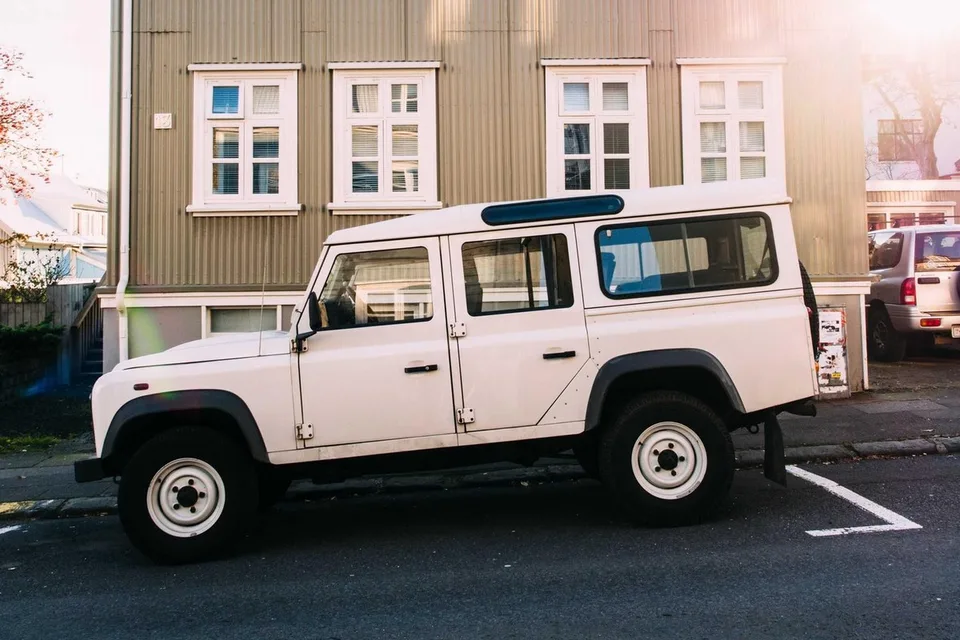
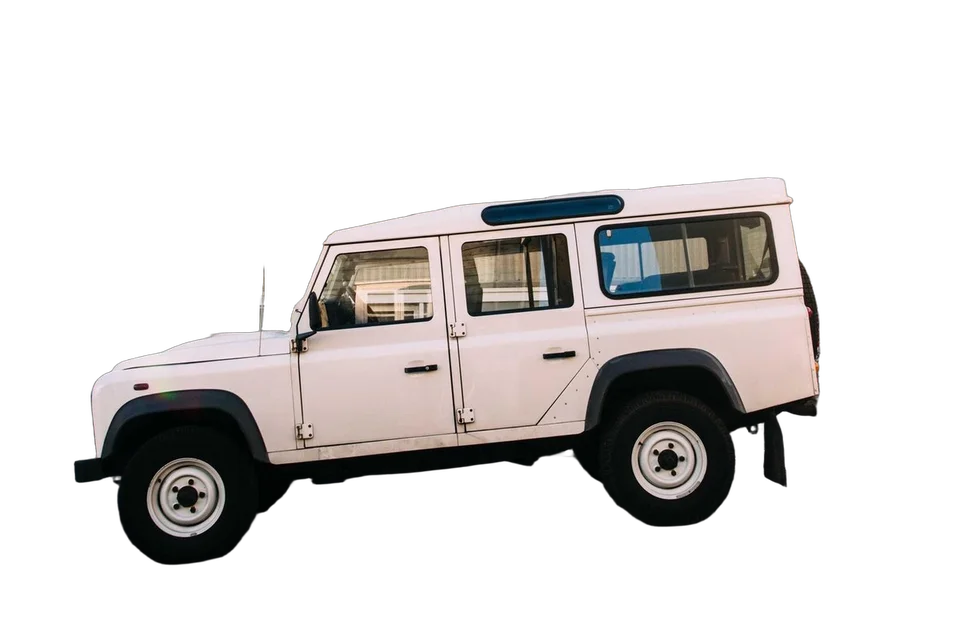
← drag to compare →
Why it pays off
The car is the only thing in the picture
No distracting neighbors, no customer walking past, no reflections of the dumpster.
An inventory that matches
Every vehicle on the same background, so your search results page looks organized and professional.
No photo booth needed
Shoot on the lot with a phone and fix the background afterwards, in seconds per photo.
How dealers use it
- 1
Shoot the walk-around
Front three-quarter, side, rear three-quarter, front, back. Same height and distance for every car.
- 2
Upload the set
Up to 10 photos at once. Each background is removed automatically.
- 3
Pick your backdrop
A clean light gray or white, a photo scene, or your own showroom photo.
- 4
Add a shadow
A soft shadow under the car stops it from looking like it’s hovering.
- 5
Download and list
JPG for your website and listing portals.
Shooting tips that make a big difference
- Get the whole car in. Cropped bumpers stay cropped. Leave a little space around the car.
- Shoot on overcast days if you can. Soft light means fewer harsh reflections on the paint.
- Turn the wheels slightly on the front three-quarter shot so the rim faces the camera. Classic dealer trick, still works.
- Keep the camera at headlight height. It makes cars look planted and powerful instead of small.
We go into more detail in our guide to car photos for online listings.
Will the background show through the windows?
Whatever is visible through the glass in your photo stays, because it’s part of the car as the camera saw it. Usually that’s the interior, which is what you want. If a building shows through, a few strokes with the Erase brush take it out.
Can I use the same background for my whole inventory?
Yes. Pick a color or a scene, or upload a photo of your own showroom or branded backdrop, and use it for every car.
How many photos can I do at once?
Up to 10 at a time, so a full walk-around of one car fits in a single batch.
Do I need special equipment?
No. A phone is fine. What matters is shooting every car the same way: same height, same angles, the whole car in the frame.
Try it on a car from your lot
Upload a photo and see it without the lot behind it. Previewing is free.
Upload image